Agent Skills format MIT licensed Claude Code · Cursor · Codex · Windsurf · Cline

A living execution map
that prevents context drift

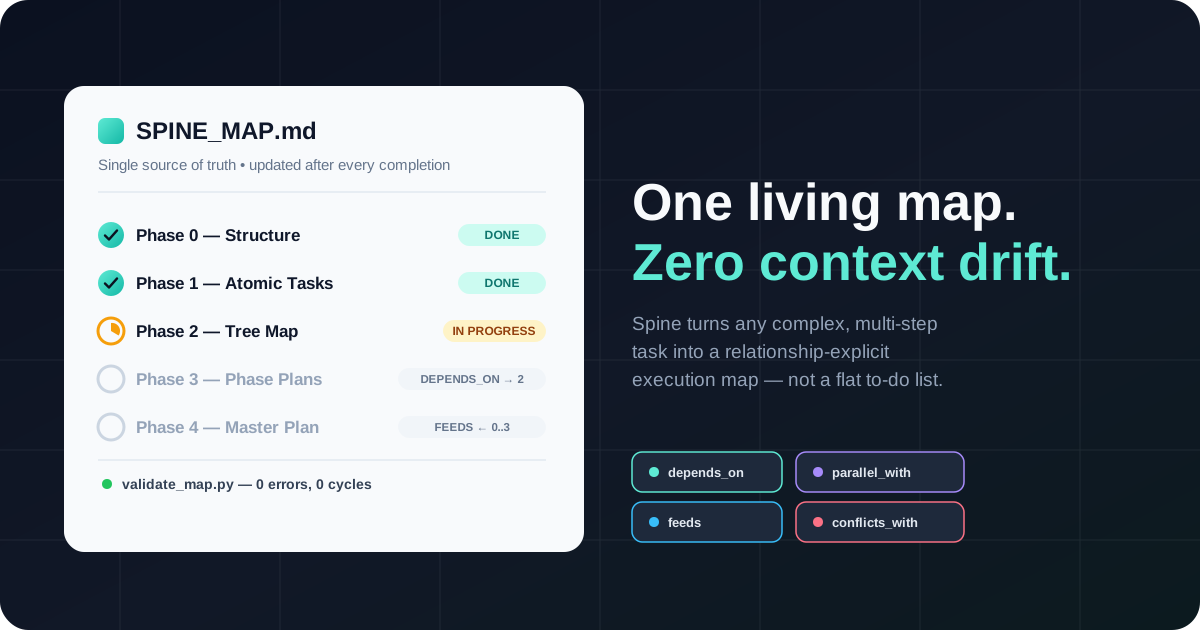
Spine turns any complex, multi-step request into a relationship-explicit tree map — not a flat to-do list. Explicit dependencies, verifiable completion criteria, and one file that stays the single source of truth.

Spine execution map diagram

Agents don't fail on the hard step — they fail to remember the thread

On long tasks, agents forget a decision made twenty steps ago, miss that phase 12 actually depends on phase 5, or declare a phase complete while its real completion criterion was never met. Spine fixes this with an external, written map the agent re-reads before every step.

🧵

Context loss

Early decisions get forgotten halfway through a long execution.

🔗

Hidden dependencies

A step actually depends on another one far away in the numbering.

Premature closure

A phase gets marked "done" without its completion criterion holding true.

🌀

Scope drift

Side details pull the agent away from the original goal.

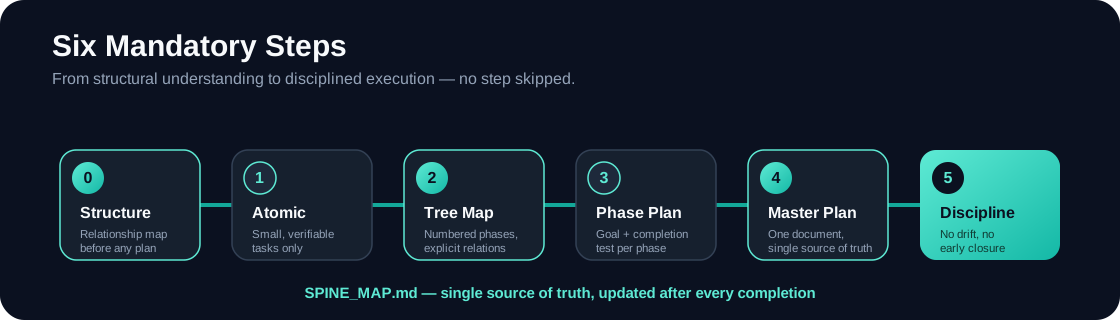
Six mandatory steps — none of them optional

From structural understanding to execution discipline. Every step produces a specific output, all of which converge into SPINE_MAP.md.

Spine six mandatory steps

0 — Structure

Relationship map of what already exists, or the conceptual domain

1 — Atomic

Small tasks, one verifiable completion criterion each

2 — Tree map

Numbered phases with four explicit relationship types

3 — Phase plan

Goal + completion criterion + tasks + execution steps

4 — Master plan

One document — the single source of truth

5 — Discipline

No drift, no forgetting, no early closure

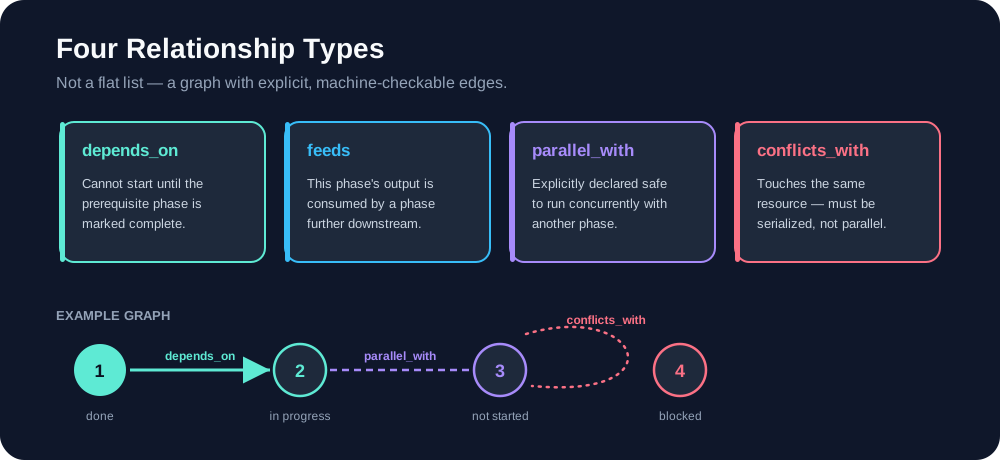
Four types — not a flat list

Sequential numbering is just a suggested reading order. The real, binding truth is the relationship graph — and it's machine-checkable.

Four relationship types: depends_on, feeds, parallel_with, conflicts_with

Ready in minutes, on the agent you already use

Spine follows the open Agent Skills format — a folder with a SKILL.md file any compatible agent can load.

One command, any agent

# detects your installed agents and installs automatically
npx openskills install Open2Loop/spine-skill

Or copy the folder manually

git clone https://github.com/Open2Loop/spine-skill.git
AgentPersonal (global)Project-local
Claude Codecp -R spine ~/.claude/skills/cp -R spine .claude/skills/
Cursorcp -R spine ~/.cursor/skills/cp -R spine .cursor/skills/
Codex CLIcp -R spine ~/.codex/skills/cp -R spine .agents/skills/
Windsurfcp -R spine ~/.windsurf/skills/cp -R spine .windsurf/skills/
Cline (VS Code)cp -R spine ~/.cline/skills/cp -R spine .cline/skills/
Gemini CLIcp -R spine ~/.gemini/skills/cp -R spine .gemini/skills/
OpenCodecp -R spine ~/.opencode/skills/cp -R spine .opencode/skills/
Any AGENTS.md agentcp -R spine .agents/skills/

Not listed? Copy spine/ into .agents/skills/ in your project root — the vendor-neutral fallback several agents already read — or check your agent's own skills documentation.

Then, in any prompt

Use $spine to decompose this feature into SPINE_MAP.md, then execute phase by phase without losing context.

Validate a map

python3 spine/scripts/validate_map.py SPINE_MAP.md
What ships with the skill

SKILL.md

The core runtime instructions the agent loads.

roadmap-template.md

Blank template — copy it to SPINE_MAP.md.

example-user-flow-map.md

A complete worked example: phone-number signup.

validate_map.py

Checks for cycles, missing dependencies, premature closure.

methodology.md

Deep reference: cycles, parallel agents, context recovery.

agents/openai.yaml

Agent interface metadata.

Start with a map — not a to-do list

Spine — by Open2Loop

View on GitHub